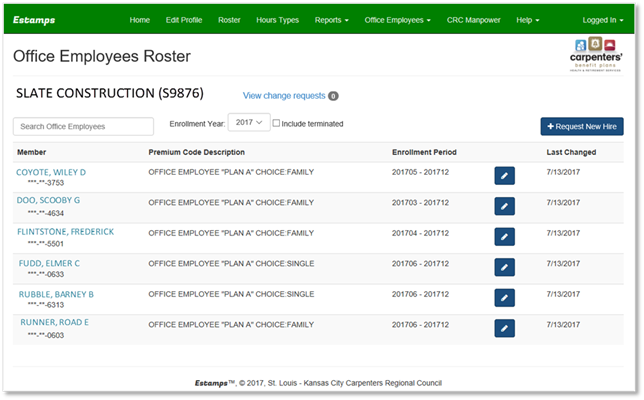
To view the Office Employee Roster:
•From the Estamps main menu, select: ‘Office Employees’
•Select ‘Roster’.
•The Office Employees Roster will be displayed.
o You can include terminated records in the list by checking the box next to ‘Include terminated’.
o You can filter by enrollment year using the Enrollment Year drop down menu.
o You can view details about an employee record by clicking on the employee name.