.
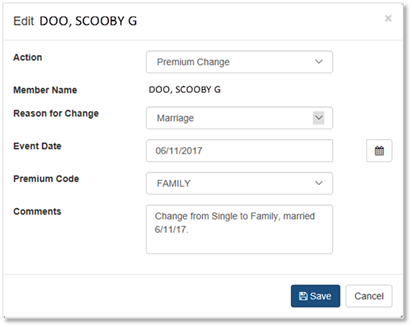
.To make a Premium Change on an Office Employee Roster:
•From the Office Employee Roster screen main menu, click the ‘Edit’
button .
•Select ‘Premium Change’.
•Complete the ‘Edit’ dialog box when it appears.
•Click ‘Save’
•When the confirmation window appears, click ‘OK’.