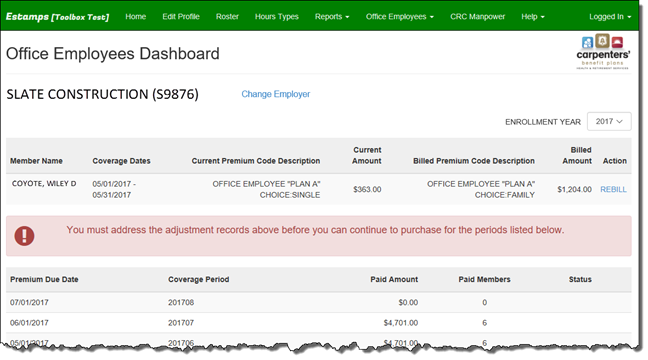
Note: If the Employer has pending billing adjustments they will see the message: “You must address the adjustment records above before you can continue to purchase for the periods listed below”.
To authorize Office Employee billing adjustments:
•From the Office Employees Dashboard, click on the link under the ‘Action’ column.
•The ‘Submit Adjustment’ dialog box will appear.
•Check the box to authorize the adjustment.
•Click ‘Submit Adjustment’.
•Click ‘Close’ when the confirmation window appears.